

I’ve been tracking agentic AI browsers for months now, and the productivity shift is real. If you’re still manually juggling 47 browser tabs while copy-pasting between tools, you’re working harder than necessary. These browsers don’t just chat with you—they navigate, click, and complete multi-step tasks while you focus on work that actually matters.
What Makes a Browser “Agentic”?
Agentic AI browsers represent a fundamental shift from passive content display to autonomous task execution. Unlike traditional browsers with AI assistants—where you navigate and the AI responds to queries—agentic browsers integrate large language models with memory systems and DOM manipulation capabilities to act on your behalf.
The distinction is critical. A standard browser AI might help you summarize a webpage. An agentic browser will research flights across six websites, compare prices, check your calendar availability, and book the optimal option—all from a single natural language request.
According to DigitalOcean’s analysis, these systems break down goals into actionable steps: intent interpretation, website analysis, action planning, and continuous learning. The browser becomes an execution engine rather than a viewing window.
Four Agentic Browsers Worth Testing

Arc Browser (Arc Max)
Arc Max transforms research workflows through intelligent tab management and cross-source synthesis. The Ask on Page feature lets you query any webpage’s content directly, while 5-Second Previews summarize links before you click them.
What sets Arc apart is speed. First AI Movers reports that Arc Max delivers structured analysis in 30 seconds—matching manual research quality that typically takes hours. The Tidy Tabs feature auto-organizes your sidebar, while Air Traffic Control routes specific URLs to designated workspaces automatically.
Best for: Research-heavy roles, knowledge workers, content strategists.
Brave Leo
Brave Leo prioritizes privacy without sacrificing capability. No login required. No conversation recording. Anonymous and secure by design.
The browser handles content summarization across webpages, videos, and PDFs. Multi-tab context queries let you ask questions spanning multiple open resources. The Bring Your Own Model (BYOM) feature connects GPT-4, Grok, or locally-running models through Ollama.
Brave’s official documentation highlights real-time search integration with proper source citations—useful for fact-checking and research verification.
Best for: Privacy-conscious users, those handling sensitive client data.
Opera Aria
Opera Aria launched in May 2023, combining Opera’s Composer AI engine with OpenAI GPT and live web results. Free access without account creation makes it accessible for quick testing.
Page Context Mode provides awareness of your current webpage, enabling contextual assistance without explaining what you’re looking at. Text manipulation features translate, explain, or find related subjects from highlighted content.
Best for: Casual users, quick access needs, those avoiding subscription costs.
Microsoft Edge Copilot
Edge Copilot integrates deeply into Microsoft’s ecosystem with multi-tab reasoning for enterprise users. The sidebar panel maintains context while you browse, and Copilot Vision analyzes your screen to offer real-time suggestions.
For Edge for Business users, Copilot Actions automates on-page tasks—unsubscribing from newsletters, making reservations, or executing multi-step workflows on IT-approved sites. Microsoft’s Copilot documentation details intelligent browser history retrieval through natural language commands.
Best for: Enterprise environments, Microsoft 365 users, structured workflow automation.
Practical Workflows for Marketing Teams

I use agentic browsers daily for marketing operations, and three workflows stand out:
Competitor Research
Query multiple competitor sites simultaneously. Extract positioning, messaging, and pricing structures. Generate comparison reports automatically without manual tab-switching and note-taking.
Arc Max excels here—open ten competitor pages, ask for a synthesis of their value propositions, and receive a structured analysis with proper attribution.
Content Research and Creation
Synthesize sources across 10+ tabs into coherent content briefs. McKinsey research found a 66% productivity increase with GenAI tool adoption. Agentic browsers amplify this by eliminating context-switching overhead.
Research that previously consumed half a day now takes 30 minutes—and the output quality improves because the AI maintains connections across sources that human working memory struggles to hold.
Client Reporting
Pull data from multiple analytics dashboards. Auto-format into presentation-ready reports. Track campaign performance across platforms without manual CSV exports and spreadsheet manipulation.
Edge Copilot’s multi-tab reasoning handles this particularly well for teams already in Microsoft’s ecosystem.
Security Trade-offs to Consider
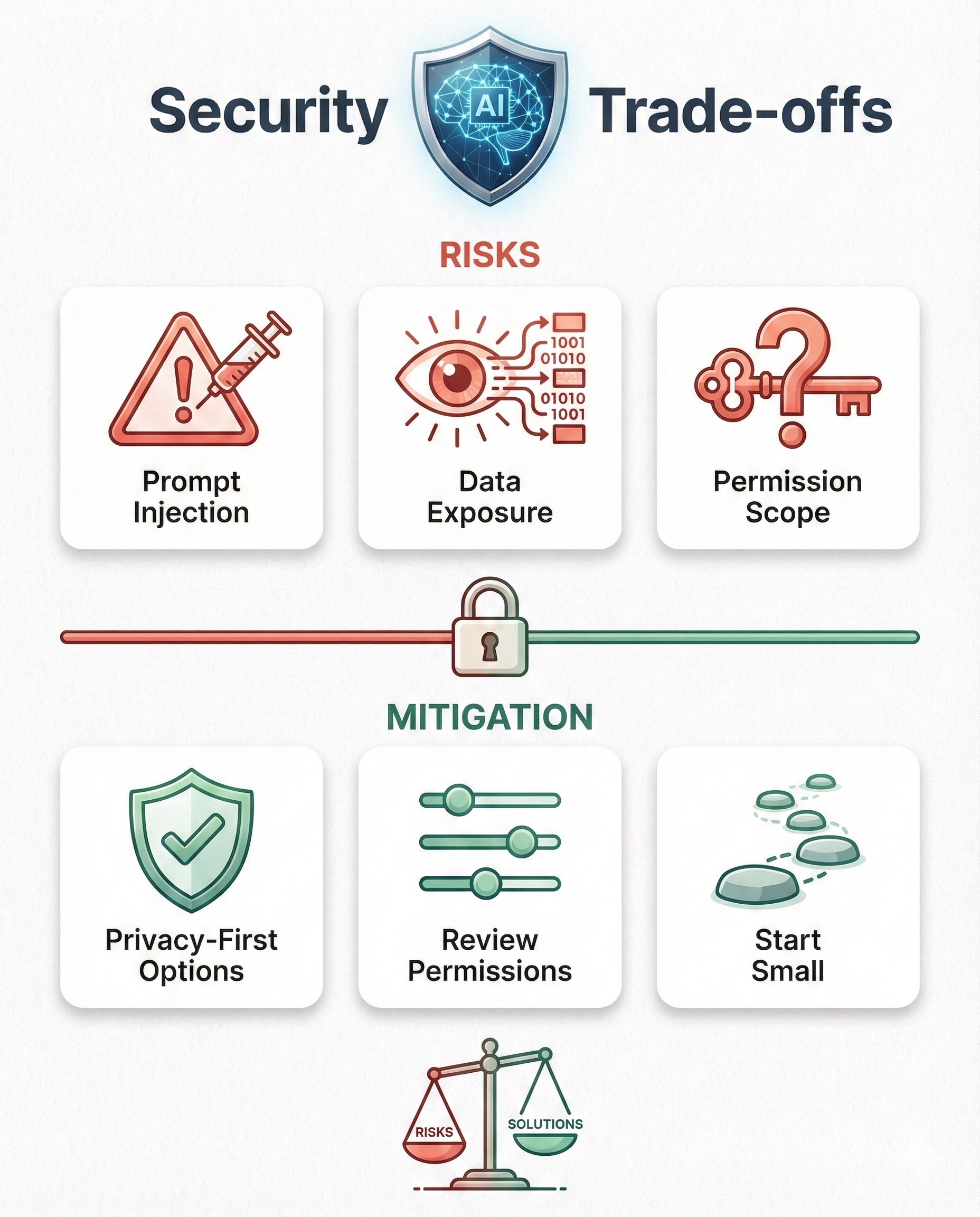
Agentic browsers introduce security considerations that demand attention. Seraphic Security’s analysis identifies key risks:
Prompt injection allows malicious inputs to manipulate agent behavior. A compromised webpage could theoretically redirect agent actions toward unintended outcomes.
Sensitive data exposure occurs when agents interact with forms containing passwords, payment details, or personally identifiable information. Autonomous actions may reveal data you’d manually protect.
Permission scope requires careful boundary definition. What actions can the agent take without explicit approval? How much autonomy is appropriate?
Mitigation Approaches
Use privacy-first options like Brave Leo or local-first Dia for sensitive work. Review agent permissions before granting broad access. Avoid entering credentials in agentic sessions. Start with low-stakes tasks until trust is established.
Why Marketers Should Pay Attention Now
July 2025 marked the beginning of what analysts call the “agentic browser wars.” The market is bifurcating between consumer productivity tools and enterprise infrastructure for AI agents.
Gartner predicts 80% of customer support issues will be handled by AI agents by 2029. McKinsey sizes the long-term AI opportunity at $4.4 trillion in added productivity growth potential.
For marketing teams, early adoption provides workflow efficiency that compounds over time. Reduced cognitive load from tab management and context-switching frees mental bandwidth for strategic thinking—the work that actually differentiates your outcomes.
Getting Started: My Recommendation
Start with one browser for one workflow:
- Try Arc Max for research synthesis and competitive analysis
- Use Brave Leo if client data privacy is non-negotiable
- Test Edge Copilot if you’re already in Microsoft’s ecosystem
- Begin with low-stakes tasks to build confidence and understand limitations
Watch the emerging players: Perplexity’s Comet, Dia browser, and Fellou AI represent the next wave. OpenAI’s Operator signals continued investment from major AI labs.
Ready to Optimize Your Marketing Workflows?
Agentic AI browsers represent a meaningful productivity shift for marketing teams willing to adapt. The tools exist now—Arc Max, Brave Leo, Opera Aria, and Edge Copilot each offer distinct advantages depending on your priorities.
At Matt Kundo Digital Marketing, I help businesses cut through the AI hype and implement tools that drive measurable results. If you’re exploring how to integrate agentic workflows into your marketing operations:
- Strategic AI integration that fits your existing stack
- Productivity audits identifying automation opportunities
- Data-driven optimization across your marketing channels
Schedule a consultation to discuss how these emerging tools fit your specific situation.
Frequently Asked Questions
What’s the difference between agentic browsers and regular AI assistants?
Agentic browsers take autonomous action—navigating pages, clicking buttons, filling forms—while regular AI assistants only respond to queries without controlling the browser interface. The agent executes; the assistant advises.
Are agentic browsers safe for sensitive client work?
Use caution. Privacy-focused options like Brave Leo don’t record sessions or require login. Avoid entering passwords or payment information in agentic workflows. Start with non-sensitive tasks until you understand the boundaries.
Which agentic browser works best for marketing agencies?
Arc Max excels at research synthesis across multiple sources. Edge Copilot integrates well with Microsoft-heavy workflows. Brave Leo balances capability with privacy for client-sensitive operations.
Matt Kundo Digital Marketing provides data-driven marketing strategy for businesses seeking measurable results. Explore our services or get in touch to discuss your marketing challenges.